Request the employer’s name where possible
Section 7.3 says employees should request an e-Invoice issued to their employer as proof of expense, to the extent possible.
FOR EMPLOYEE CLAIMS & SMALL BUSINESSES
Scan your receipt. Let ReceiptLah handle the e-Invoice request.
Stop filling the same company details into different merchant forms. ReceiptLah detects the e-Invoice link on your receipt and uses your saved buyer profile to automate the request.
Only 5 credits per receipt submission
Optional receipt extraction or saving follows its own scan-credit rules.
Get ReceiptLahAn automated e-Invoice request for Malaysian company expenses, with buyer details you only need to set up once.
Scan or upload your receipt. ReceiptLah detects its e-Invoice QR code or link.
Choose a saved company buyer profile. ReceiptLah fills the merchant’s form in the background with your buyer details.
ReceiptLah submits the request through the merchant’s portal and tracks the outcome. The merchant issues the e-Invoice for LHDN validation.
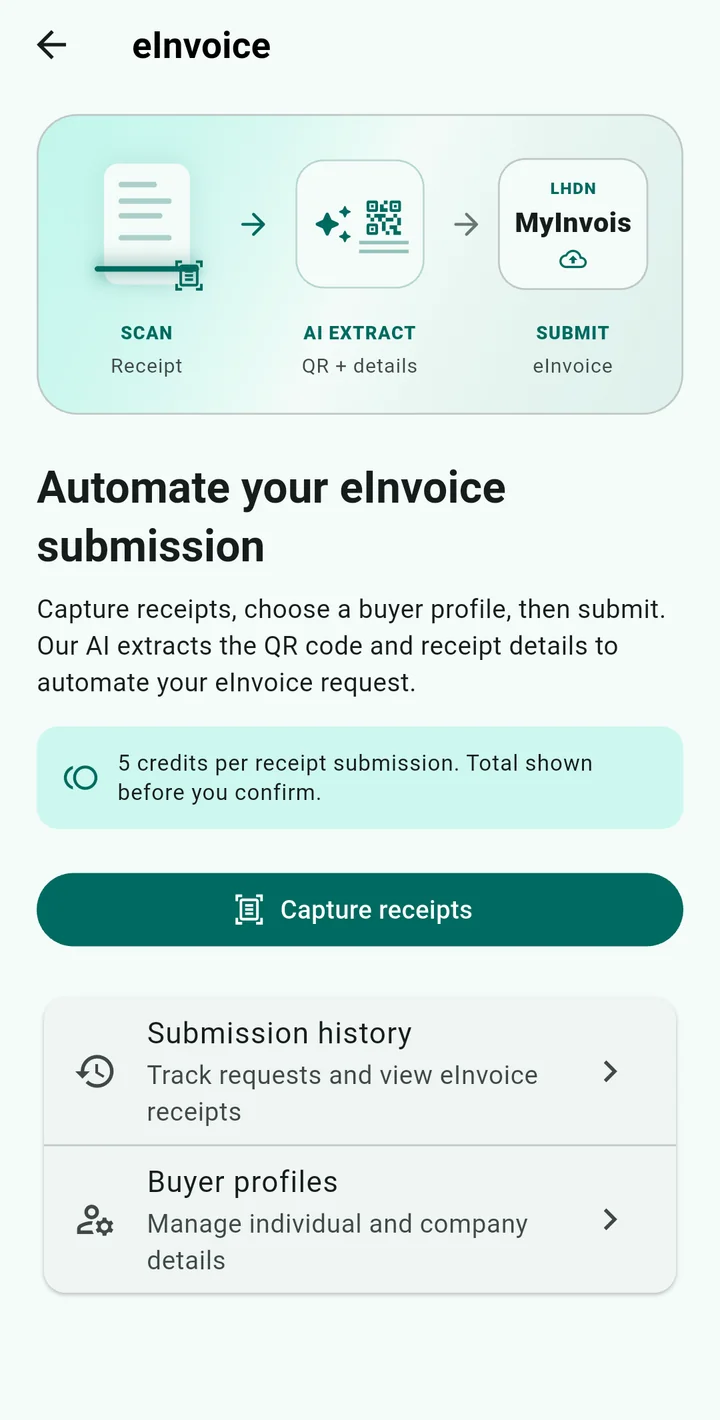
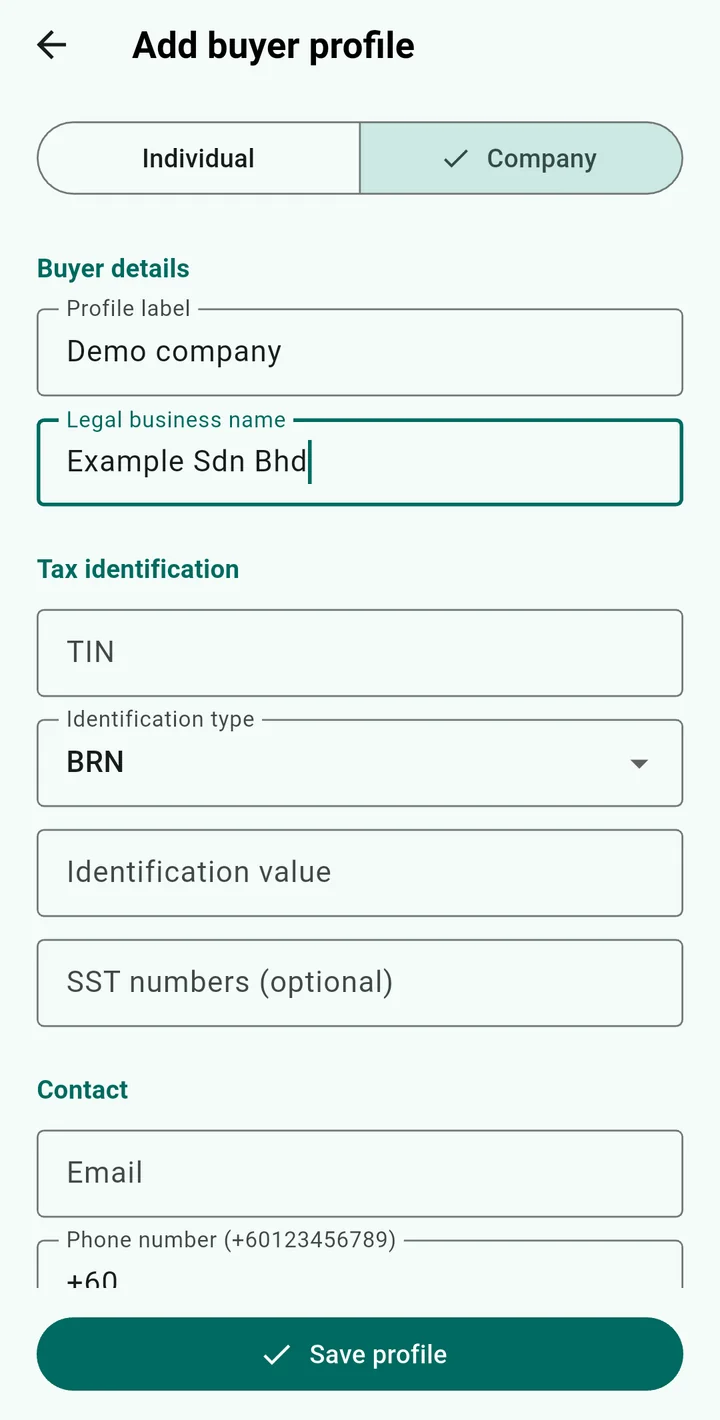
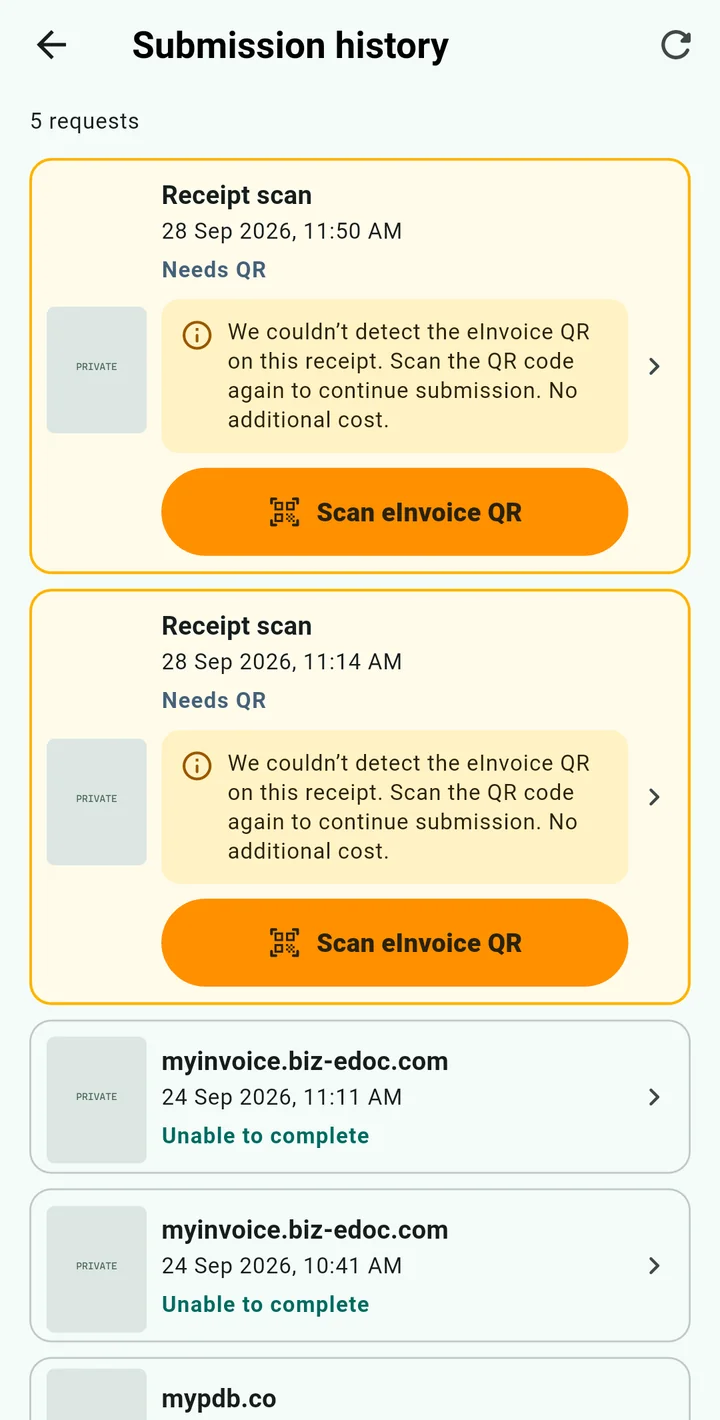
Real screenshots from ReceiptLah 1.0.24 on a Xiaomi MI 9. The company form uses unsaved demo details; history shows existing requests requiring follow-up, with receipt thumbnails concealed. App screens are shown in English.
When employees spend on behalf of a company, collecting an e-Invoice in the company’s name helps keep expense evidence consistent with the employer’s records.
Section 7.3 says employees should request an e-Invoice issued to their employer as proof of expense, to the extent possible.
Section 7.4 allows an employee-name e-Invoice or existing supporting documentation as proof of expense for tax purposes.
Under section 7.5, the employer must be able to prove the employee incurred the expense on its behalf for this exception to apply.
An e-Invoice supports your records; it does not by itself make an expense tax-deductible. Keep the receipt and evidence of the business purpose, and confirm eligibility with your accountant.
Source: LHDN e-Invoice Specific Guideline v4.9, 7 September 2026, sections 7.3–7.5.
Guidance checked 8 October 2026.
Automation depends on the merchant’s supported workflow and an available e-Invoice link or QR code. A plain receipt is not automatically a validated e-Invoice.
Prepare the company name, TIN, business registration number, address and contact details required by the merchant. Review the selected profile before submitting.
e-Invoice requests are processed online. Receipt and buyer details are shared with the backend and the merchant to complete the request.
A submitted request is not the same as a validated e-Invoice. Check the request history for the outcome and any follow-up required.
5 credits per receipt submission. The app shows the total before confirmation. Optional receipt extraction or saving follows its own scan-credit rules.
ReceiptLah automates the buyer’s request through the merchant’s e-Invoice portal. The merchant issues the invoice and submits it for LHDN validation; ReceiptLah tracks the request outcome.
Yes. Select a saved company buyer profile so ReceiptLah can fill the merchant form with the company details instead of retyping them for each receipt.
Automation requires a merchant e-Invoice link or QR code and depends on the merchant’s supported workflow. Availability, receipt eligibility and merchant requirements can vary.
LHDN provides a concession for certain employee expenses: an employee-name e-Invoice or existing supporting documents may be used when the employer can prove the employee acted on its behalf. Tax deductibility still depends on the applicable rules.
No. e-Invoice processing requires internet access and shares the receipt and selected buyer details with the backend and merchant. Core receipt organization remains offline-first.
Download ReceiptLah, choose your company buyer profile and request an e-Invoice from your next eligible receipt.